Upload photosComplete listingYou reviewYou publish
How Zetlis works
Upload your product photos and Zetlis creates the complete eBay listing — title, description, keywords, item specifics, category and more. Review it, change anything you want, and publish straight to your eBay account with one click.
10 free listings. No credit card.
One upload, one complete listing
One pass from photos to a finished listing — and you have the last word at every step.
Upload photos
Add your product photos — one item or a whole folder.
Zetlis analyzes
It identifies the item from your photos before it writes.
Complete listing
Title, description, keywords, item specifics and category, written to your Seller Profile.
You review
Everything's filled in. Change anything you want, or change nothing.
You publish
One click sends the listing straight to your connected eBay account.
Zetlis creates the listing — you control all of it
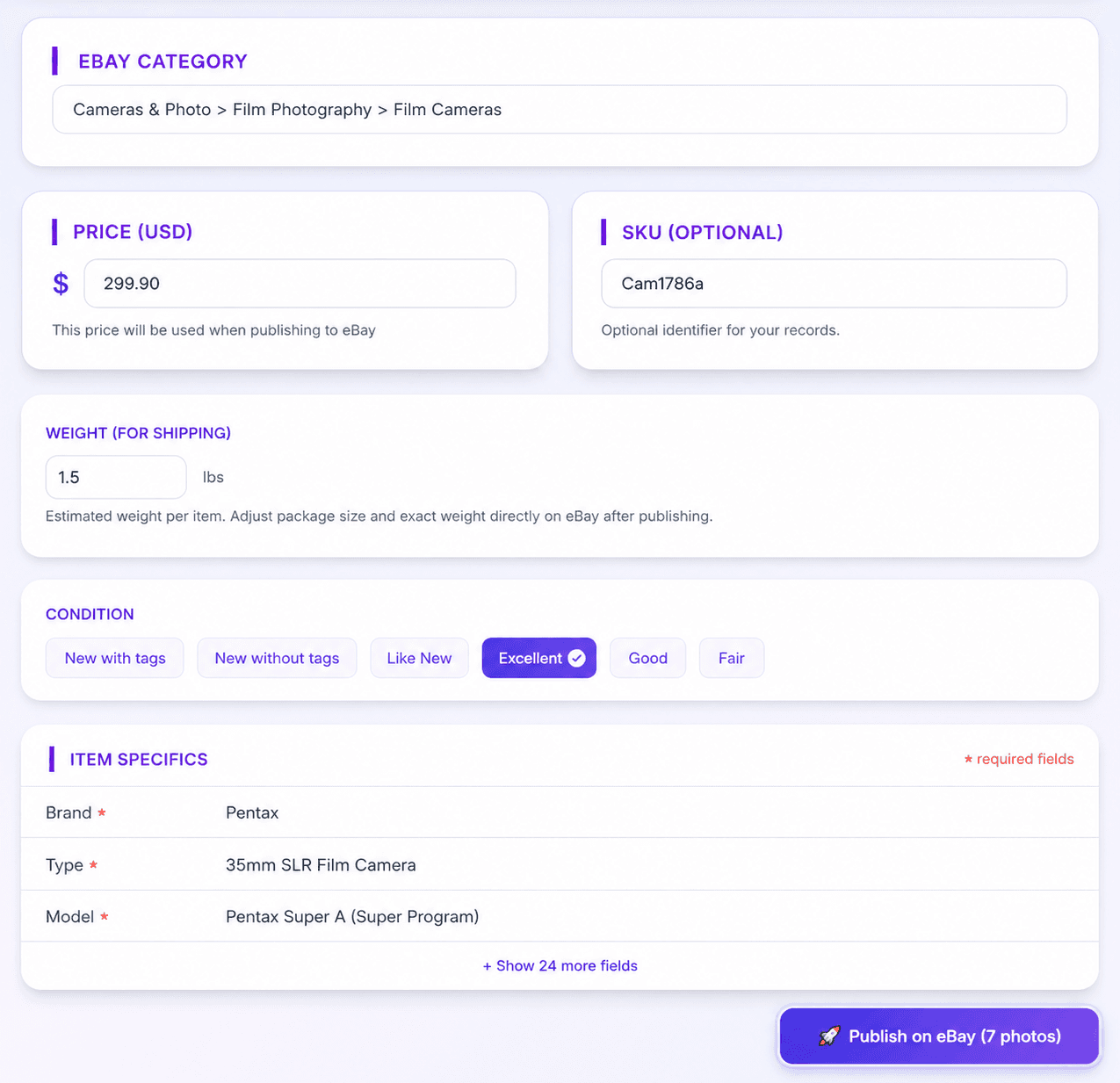
Zetlis fills in every part of the listing from your photos, and nothing is locked. Ready to publish as generated. Fully editable if you want.
Zetlis creates
- 3 title optionsunder 80 characters, ready to pick
- Descriptioncomplete and ready to publish
- Keywordsdrawn from your product
- Item specificsbrand, type, model and more
- eBay categorysuggested from what it sees
From your photos and the Seller Profile you selected.
You control all of it
- Every generated fieldswap the title, rewrite the description, adjust keywords, item specifics and category
- Your own numbersprice, SKU, shipping weight and anything else specific to your business
- Or change nothingpublish it exactly as it arrives
One click sends it to your connected eBay account.
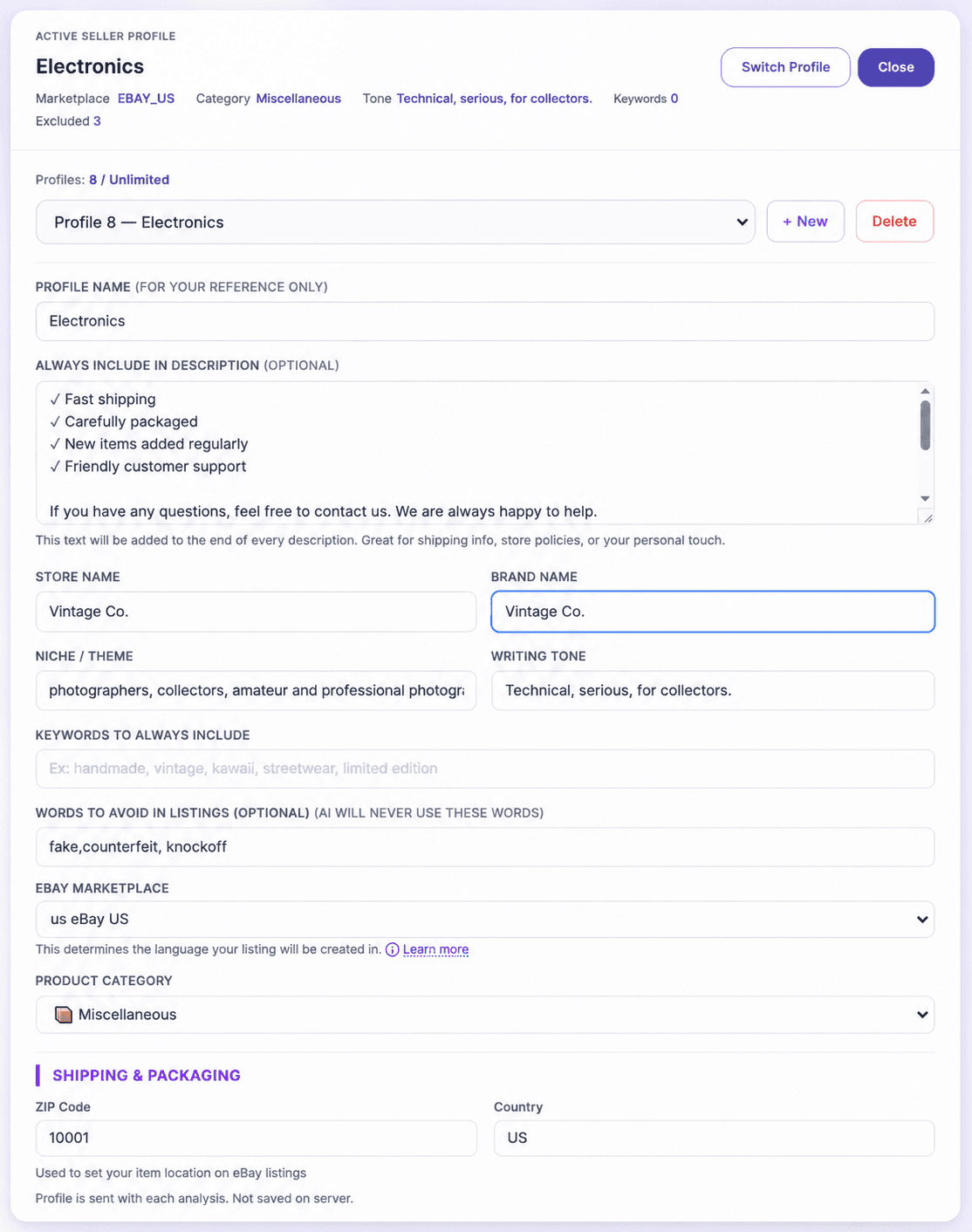
Seller Profiles: how your listings should sound
Set your preferences once — store and brand name, writing tone, keywords to always include, words to avoid, and the category you sell in. Zetlis follows the profile you've selected, so listings come out sounding like your store.
Keep a separate profile for each way you sell — Clothing, Electronics, Collectibles, Toys, or one per eBay store — and edit any of them whenever your approach changes.
Explore the workflow, stage by stage
Take a closer look at each part of the workflow — titles, descriptions, complete listings, variations, bulk listing, and reusing a saved listing.
The title step
Start with stronger eBay titles. Zetlis gives you three title options plus relevant search keywords — so you never have to start from a blank box.
See how this step worksThe description step
Descriptions that sound like your store. Zetlis turns your photos into a ready-to-use description shaped around your Seller Profile and selling style.
See how this step worksThe complete listing
From photos to a complete eBay listing. Zetlis builds the title, description, item specifics, category and more — ready for you to publish.
See the full workflowVariation listings
One listing. All your variations. Add sizes, colors, prices and quantities without rebuilding the same listing over and over.
Explore variation listingsBulk listing
Turn a folder of products into listings at once. Drop in your organized product folders and let Zetlis create the listings while you move on to something else.
Learn how the workflow scalesReuse a saved listing
Never start the same listing from scratch again. Reopen a listing already saved in your History, make your changes and publish again — no new analysis credit needed.
See how reusing worksList from anywhere
See it. Snap it. List it. Take the photos, create the listing and publish to eBay before you even get home — right from your phone.
See how it worksCreate now. Review later.
Turn photos into listings while they're already in your hands. Take the photos on your phone and let Zetlis create and save each listing to your History. Publish right away or review everything later on your computer.
See how it worksLearn the basics first
New to selling on eBay? These guides are a good place to start:
See the complete listing on your own photos
Upload a photo, get a complete listing, change anything you want, and publish to your eBay account with one click.
Try Zetlis free →No credit card required.